Git
Git Overview
Resources
Workflow
A local repository consists of three "trees" maintained by Git.
- a Working Directory which holds the actual files
- the Index which acts as a staging area
- the HEAD which points to the last commit made
Defaults:
remote:originbranch:main
Github Workflow
Rename a local git branch
git branch -m new-name
git branch -m old-name new-name
Create new branch on Github and locally
git branch --set-upstream-to=origin/new-feature new-feature
Push new branch
git checkout -b new-feature
git commit ...
git push origin new-feature
git push --set-upstream origin new-feature
Pull new branch from Github
# see all branches
git branch -a

# see only remote branches
git branch -r

# pull and checkout new branch
git pull
git checkout new-branch
Delete branch from Github
git push origin --delete branch-name
Delete branch locally
git branch -d branch-name
Configure Git
Configure Git
git config --global user.name "User Name"
git config --global user.email "username@icloud.com"
git config --global --edit ...

git config --global color.ui auto
git config --global color.ui tree
git config format.pretty oneline
Saving Github password (by storing the login credentials in plain text)
git config --global credential.helper store
Initialize Git Repository
Initialize Git repository
git init
Remote
Add remote origin
git remote add origin [url]
update remote branches
git remote update origin --prune
Clone repository
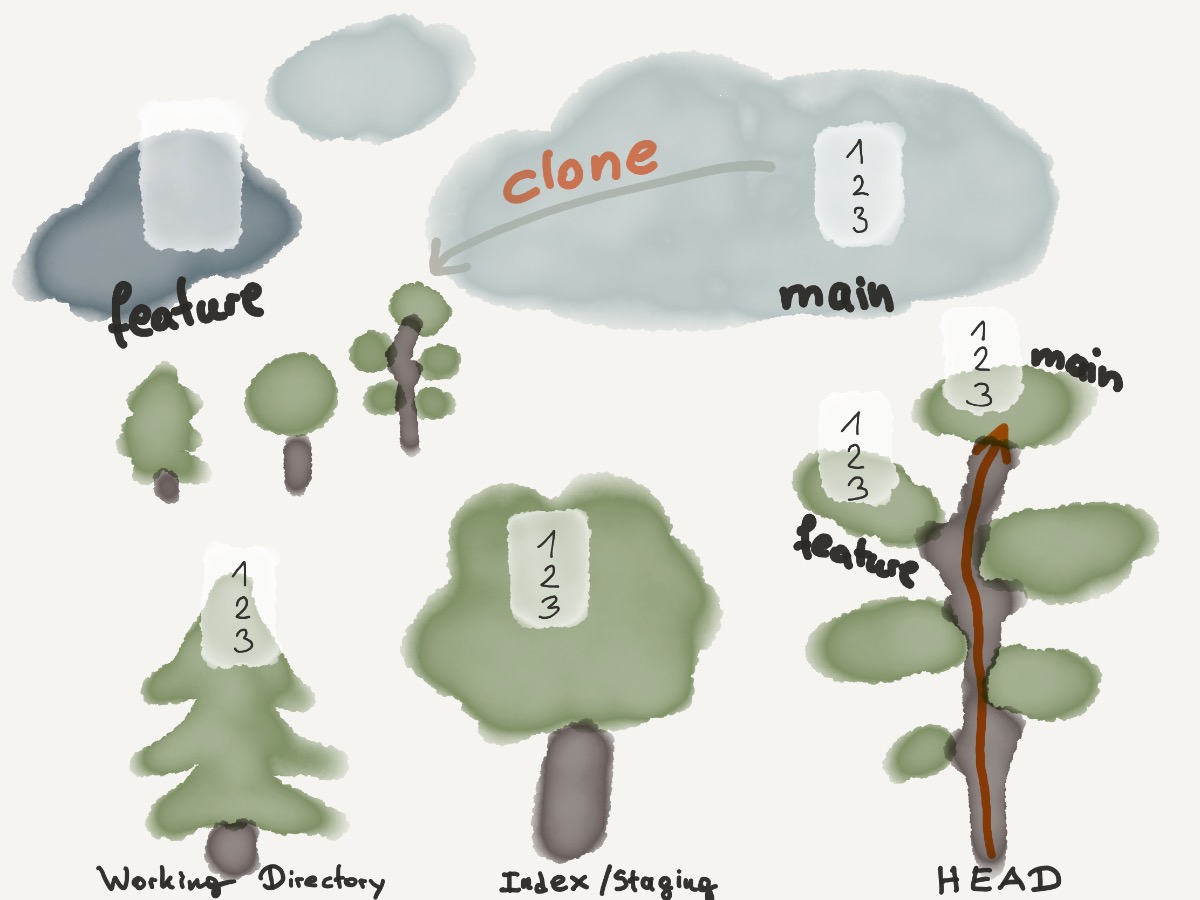
git clone [url]
when using a remote server, your command will be
git clone username@host:/path/to/repository
or via Github/Gitlab
git clone https://github.com/vuejs/vuejs.org.git
git clone --recursive https://gitlab.cern.ch/tdr/notes/AN-19-031.git
Add
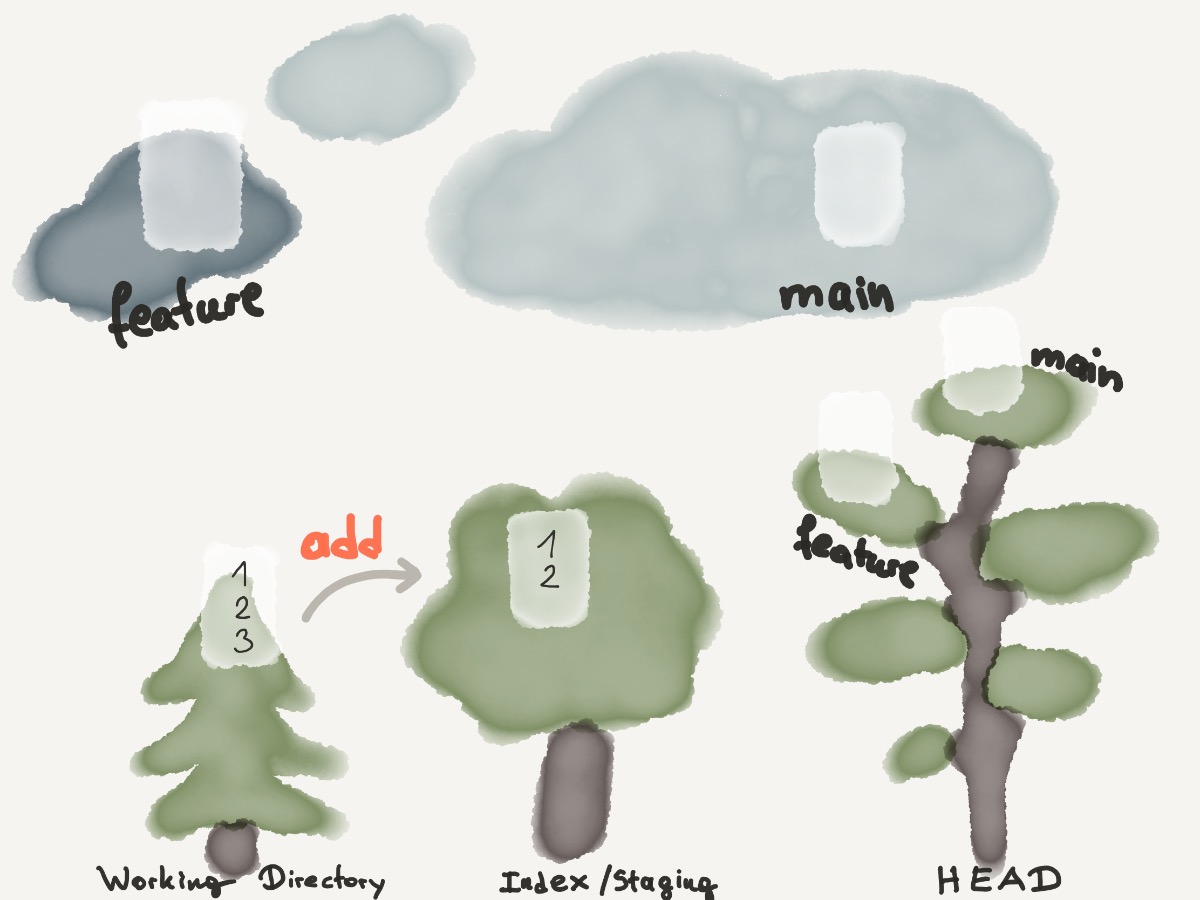
git add [file]
git add -- [file1] [file2]
git add -- .
git add .
interactive
git add -i
Status
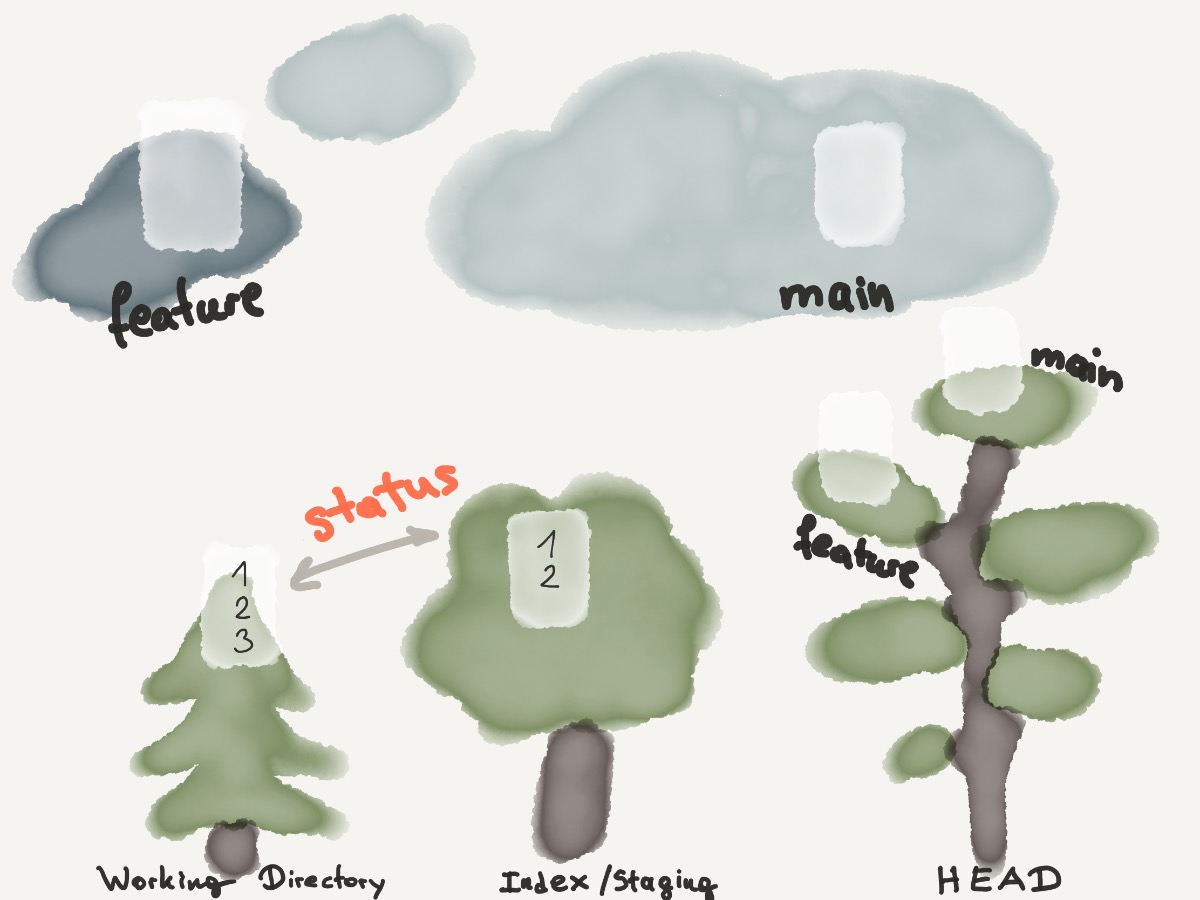
Check what has changed since the last commit
git status
(Re)move files
Move / Remove / Rename
git mv [file] [new-file]
git rm [file]
git rm --cached [file]
remove a file from version control (but keep the actual file)
git rm --cached [file]
Ignore
Create a .gitignore file
*.txt
assets/*
Commit
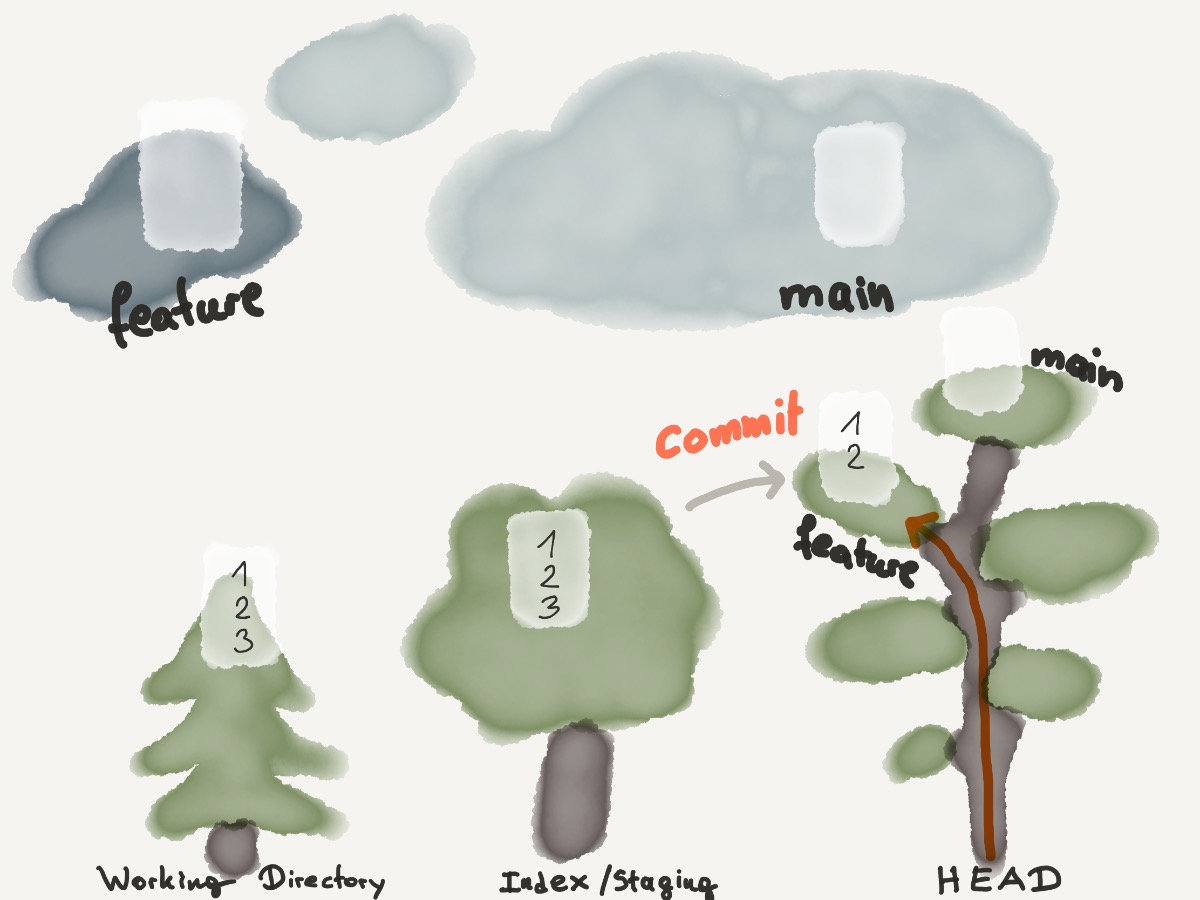
git commit -m "excellent addition"
git commit -am "checked in everything"
Branch
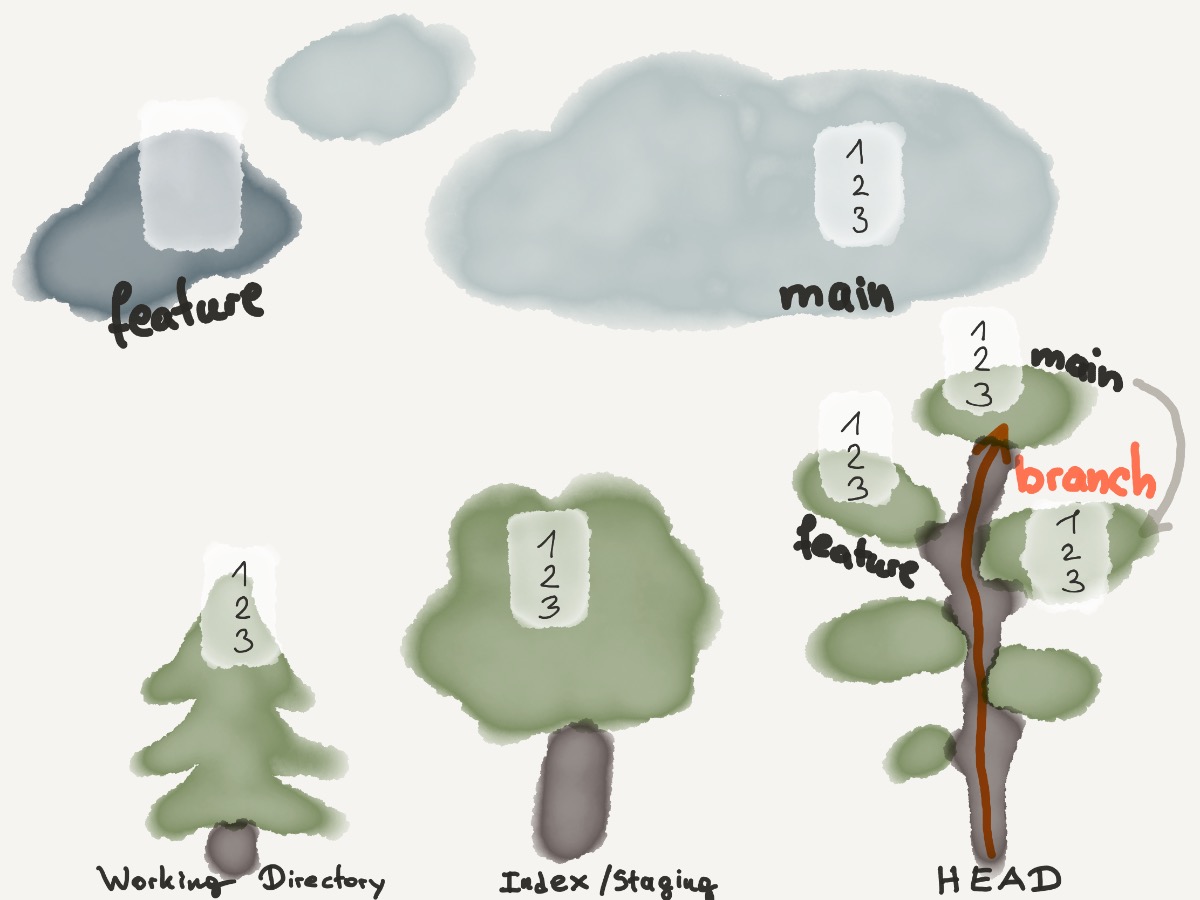
git branch
git branch -a
git branch -r
git branch [branch-name]
git branch -d [branch-name]
git branch -m new-name
git branch -m old-name new-name
git branch --set-upstream-to=origin/new-feature new-feature
change branch via
git checkout [branch-name]
shorthand to create a new branch an check it out
git checkout -b [new-branch-name]
Checkout
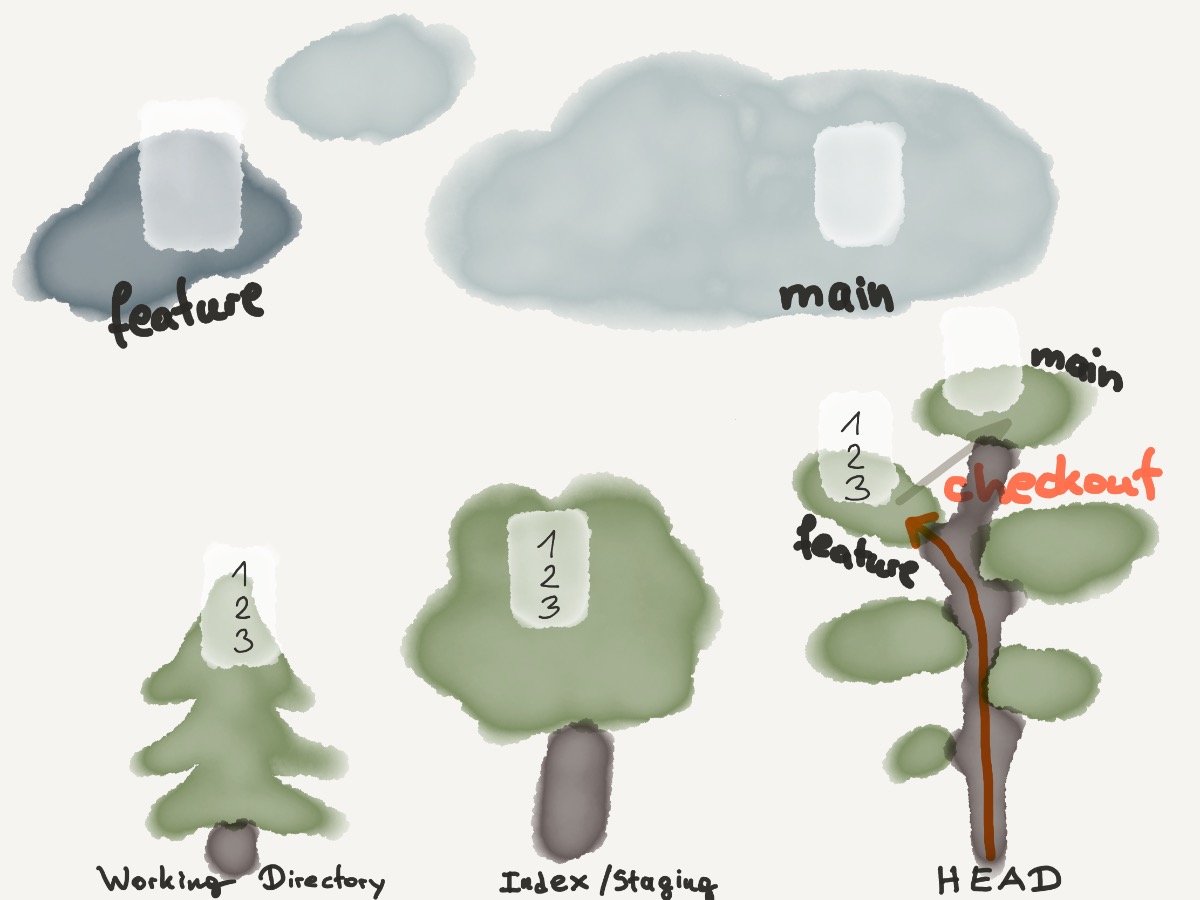
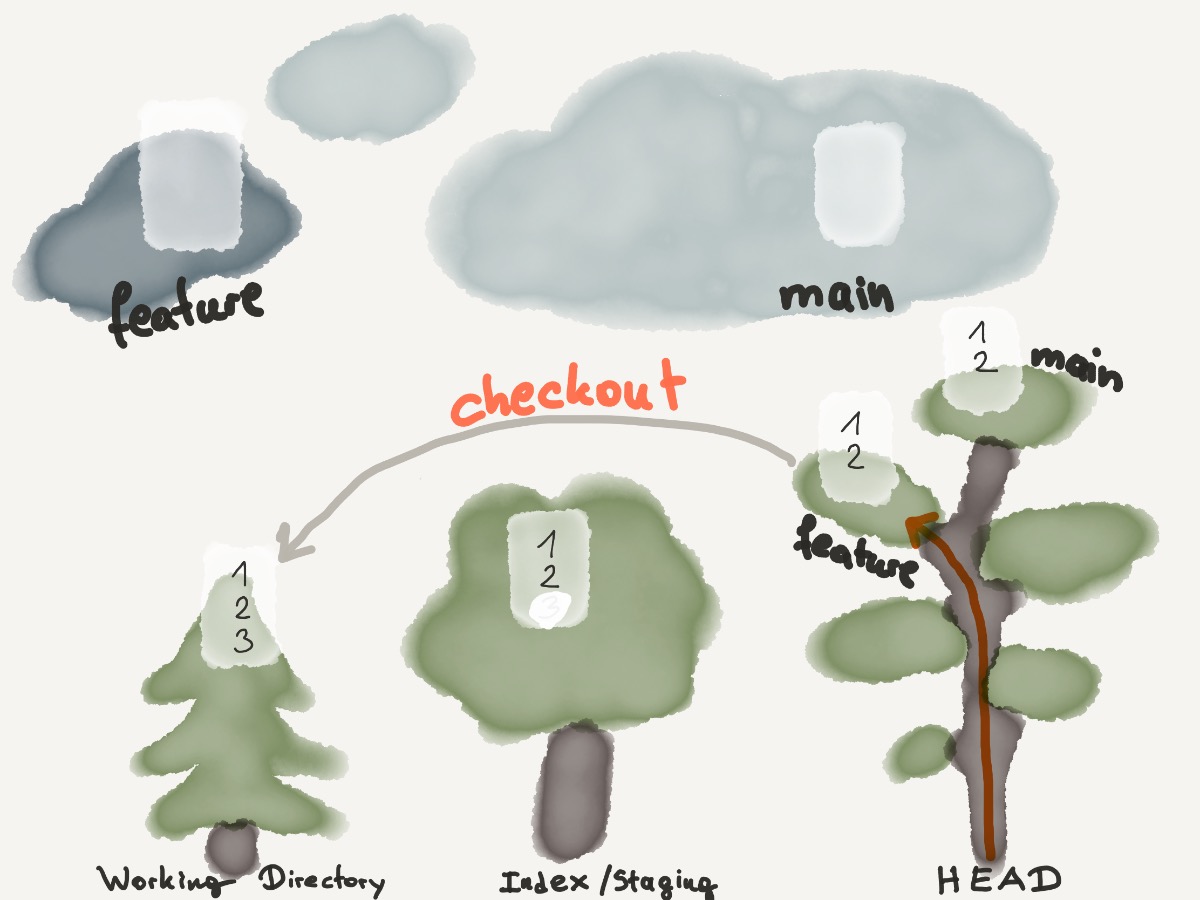
git checkout [file]
git checkout -- [file]
git checkout -- .
git checkout [branch-name]
git checkout -b [new-branch-name]
Create a new branch, with no history or contents, called gh-pages and switches to the gh-pages branch
git checkout --orphan gh-pages
to discard changes in working directory
git checkout -- [file]
Merge
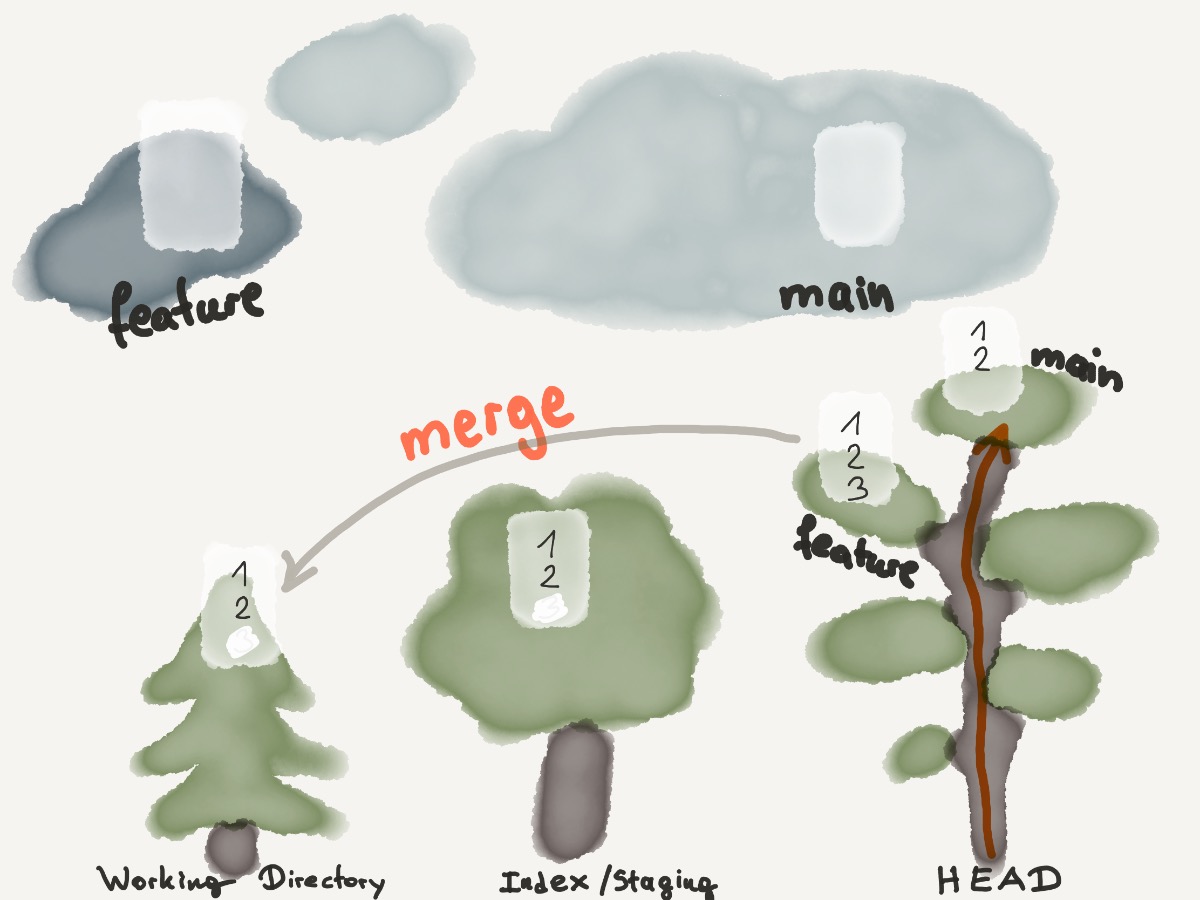
git merge
git merge [branch]
git merge origin/master
Feature-branch Workflow:
git checkout -b feature-branch
# implement feature
git commit -am "added feature"
git checkout main
git merge feature-branch
git branch -d feature-branch
Handle merge conflict
git merge
# 1. auto-merge fails
# 2. resolve conflicts
git add .
git commit -m "resolved merge conflicts"
Rebase
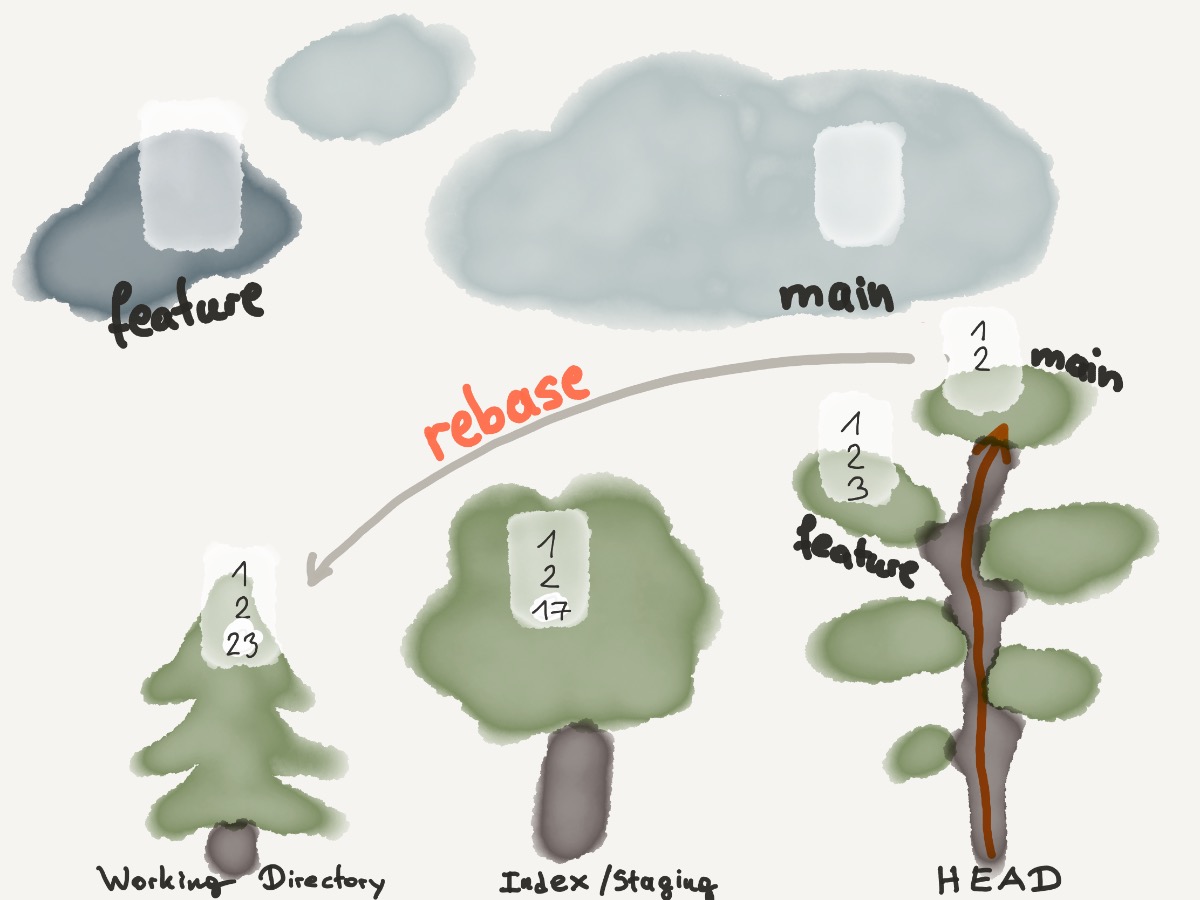
git rebase master
Fetch
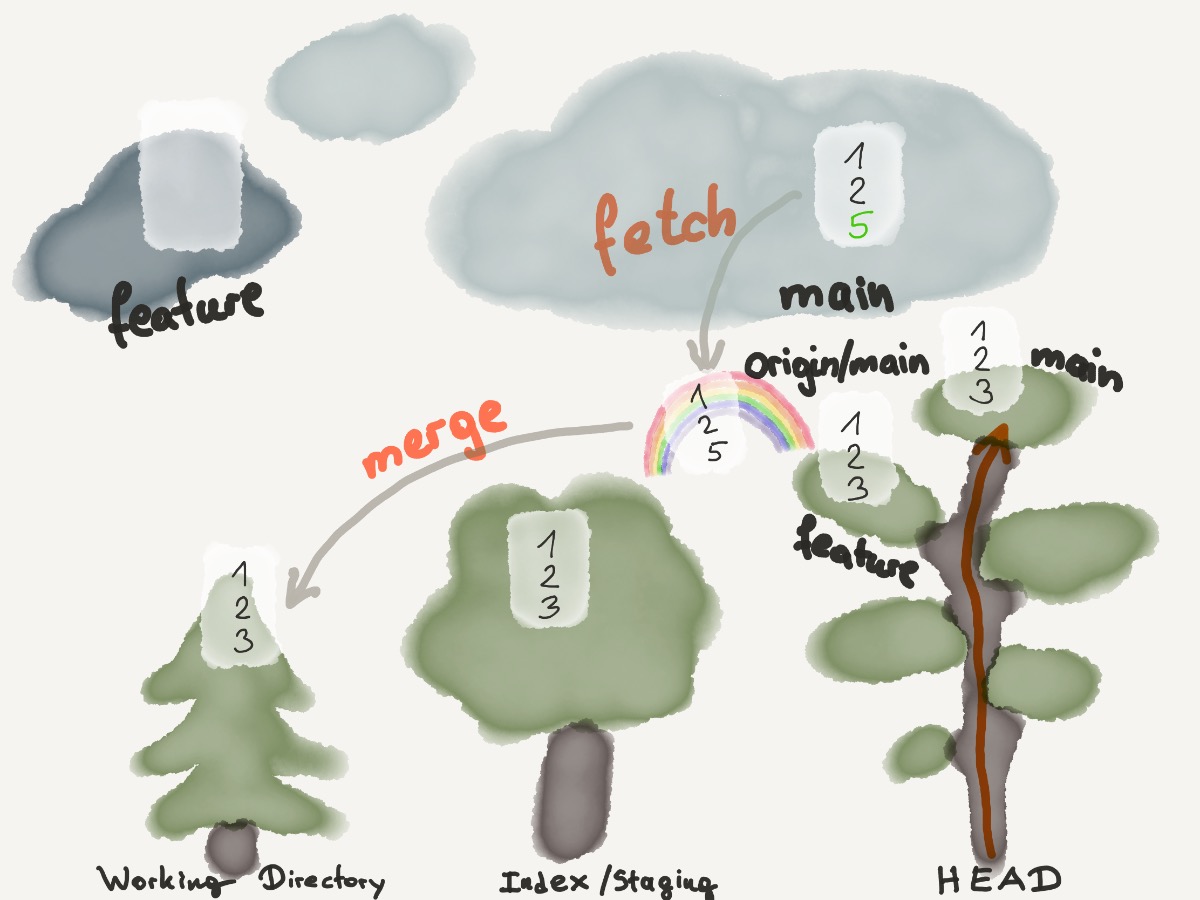
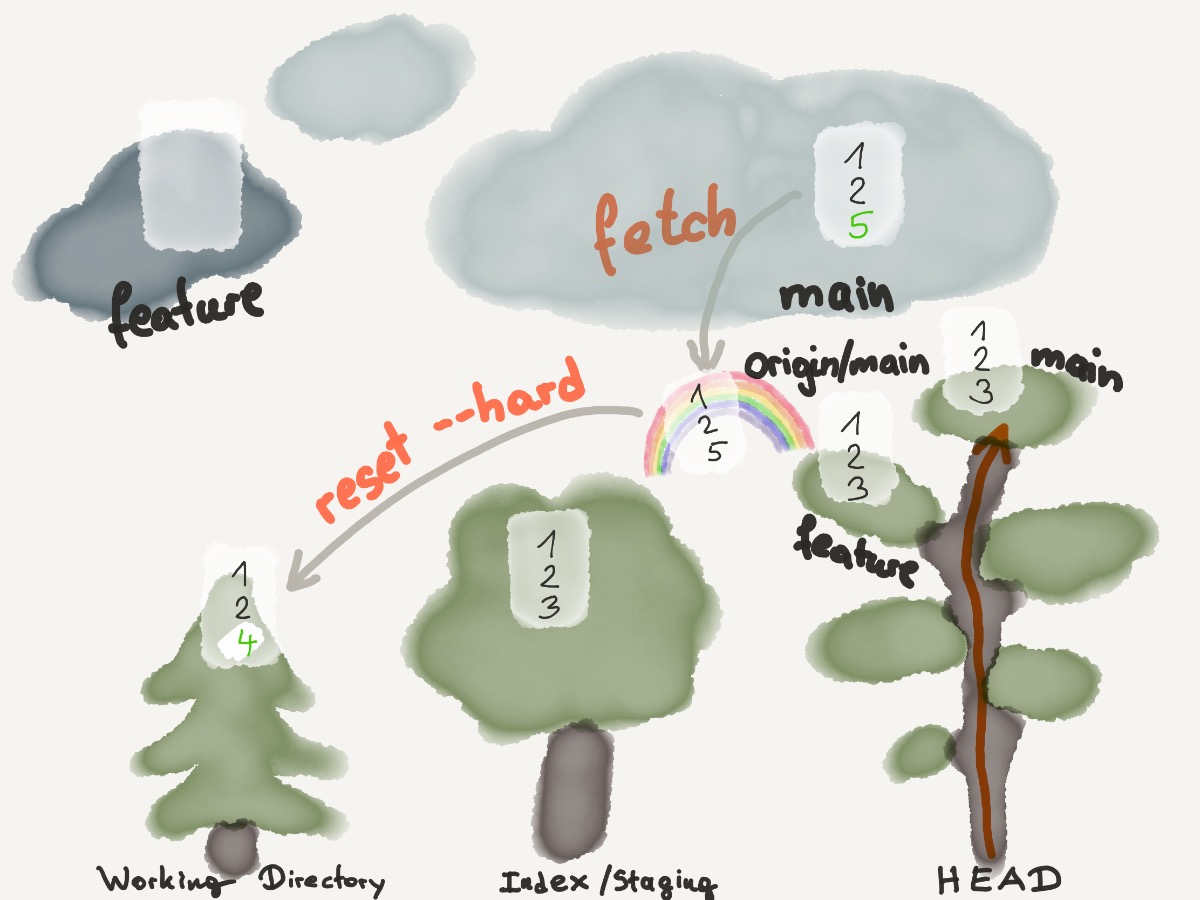
git fetch
drop all local changes and commits
git fetch origin
git reset --hard origin/main
Pull
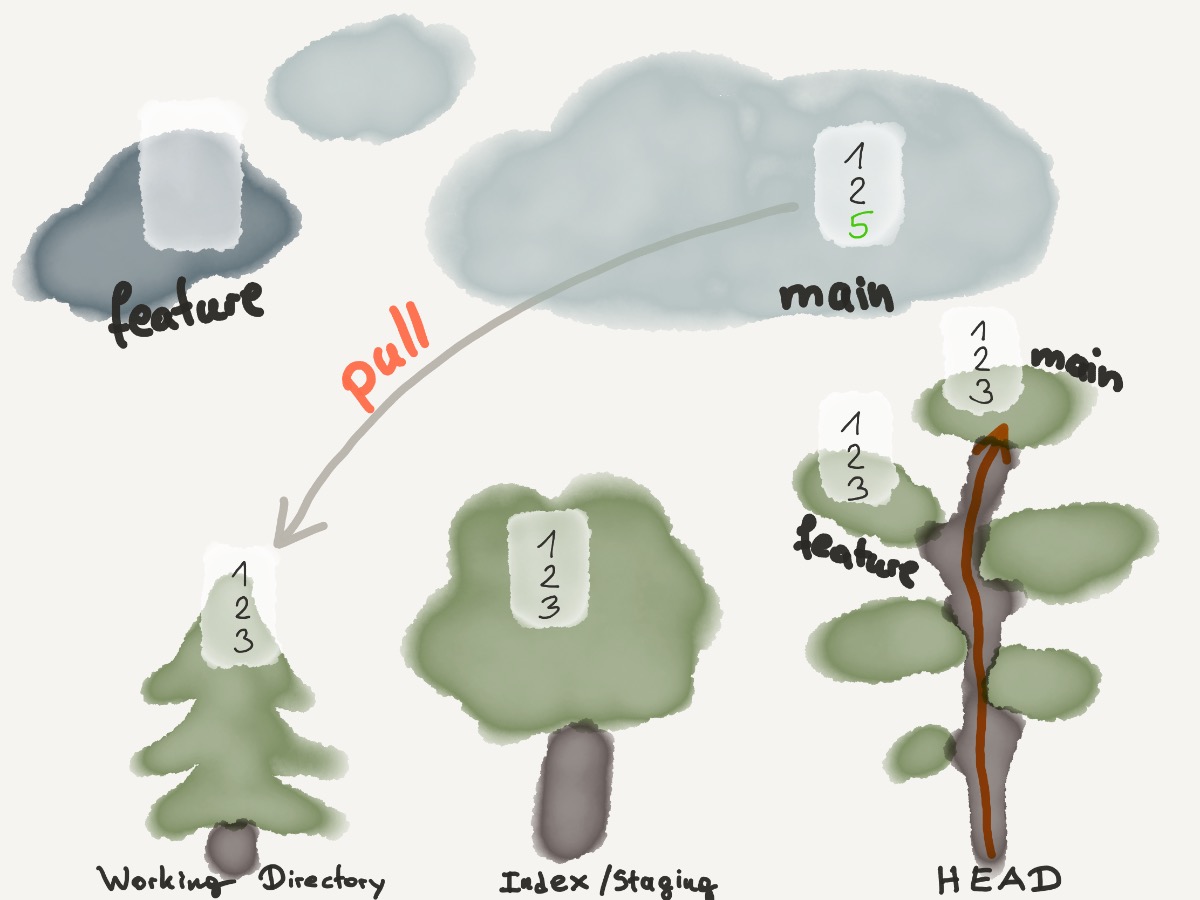
git pull
Push
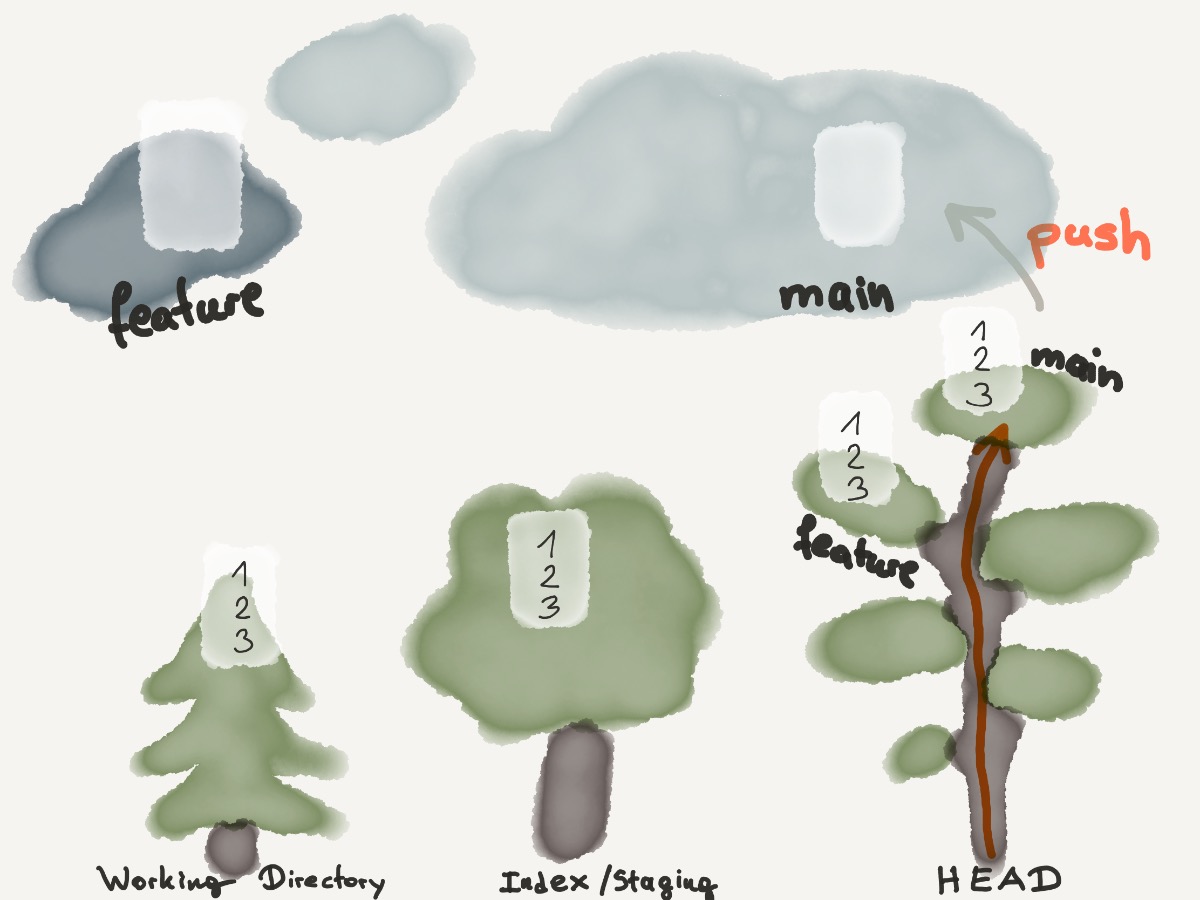
git push
git push origin main
git push origin [branch]
git push origin [new-branch]
git push --set-upstream origin [new-branch]
git push origin --delete branch-name
Log
Log
git log
git log --follow [file]
git log --author=bob
git log --pretty=oneline
git log --graph
git log --graph --oneline --decorate --all
git log --name-status
git log --help
Diff
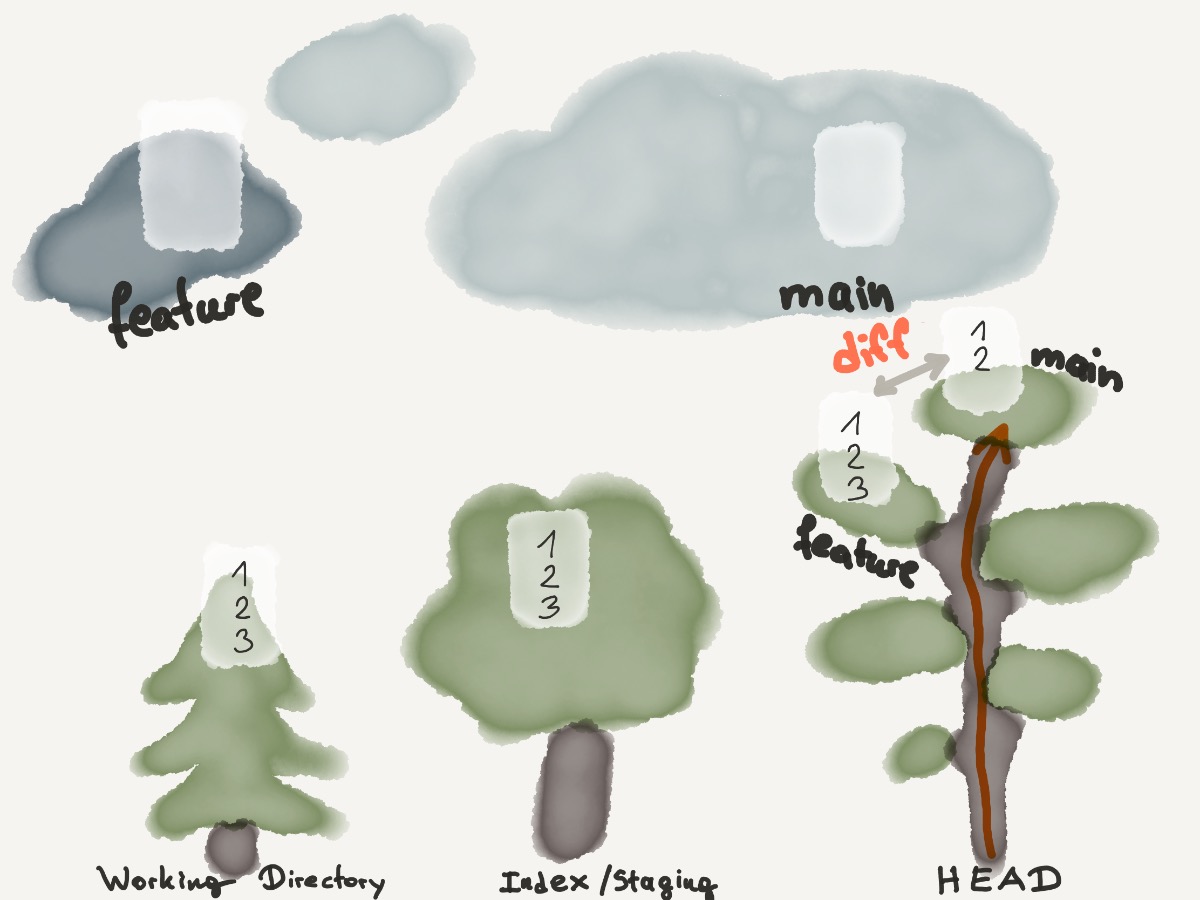
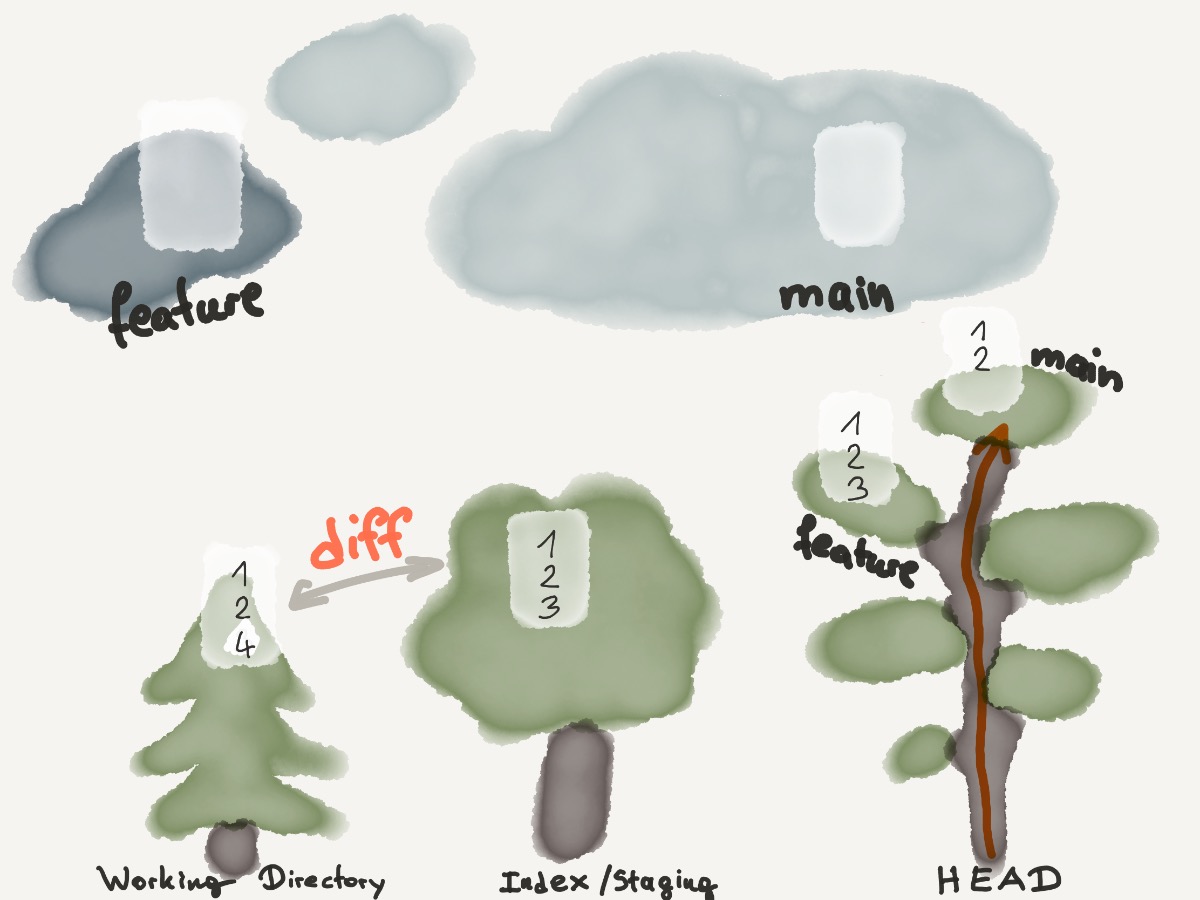
git diff [first-branch] [second-branch]
previous changes, before merging branches, i.e.
git diff [source_branch] [target_branch]
Show Commit
Show
git show [commit]
Reset
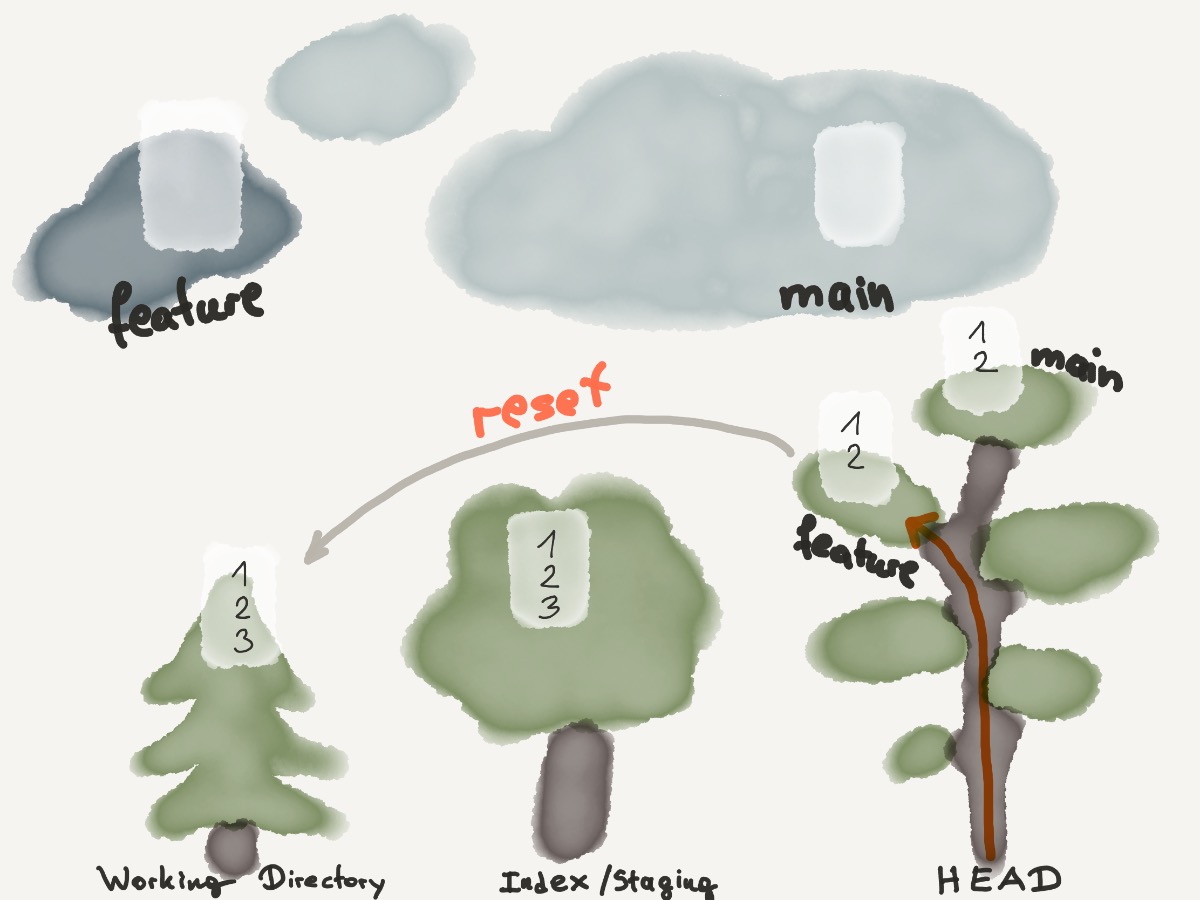
git reset
git reset [file]
git reset -p
git reset --hard
git reset [commit]
git reset --hard [commit]
git reset --hard origin
git reset --hard origin/master
unstage a file for commit
git reset HEAD file
git reset --hard origin/live
git clean -f -d
Clean
Clean
git clean
git clean -n
git clean -f
Stash
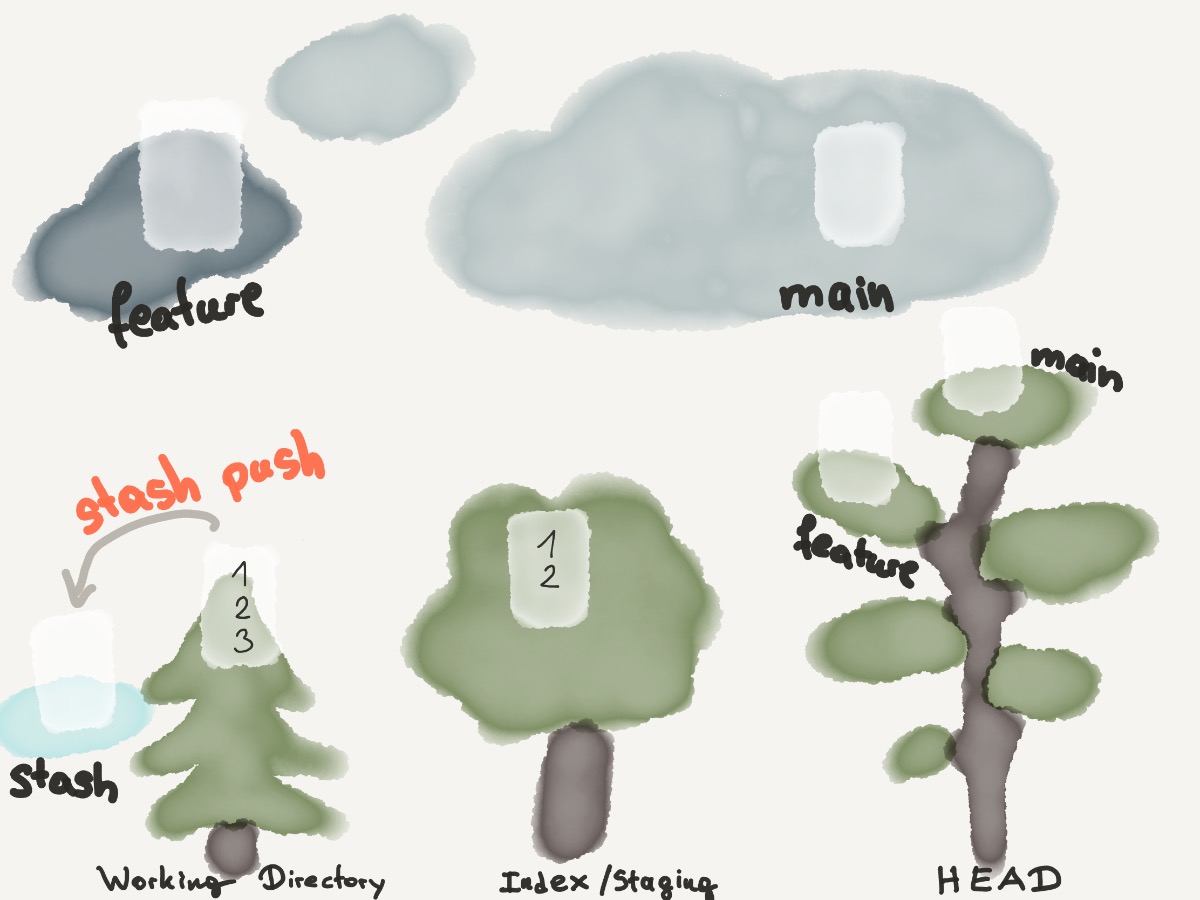
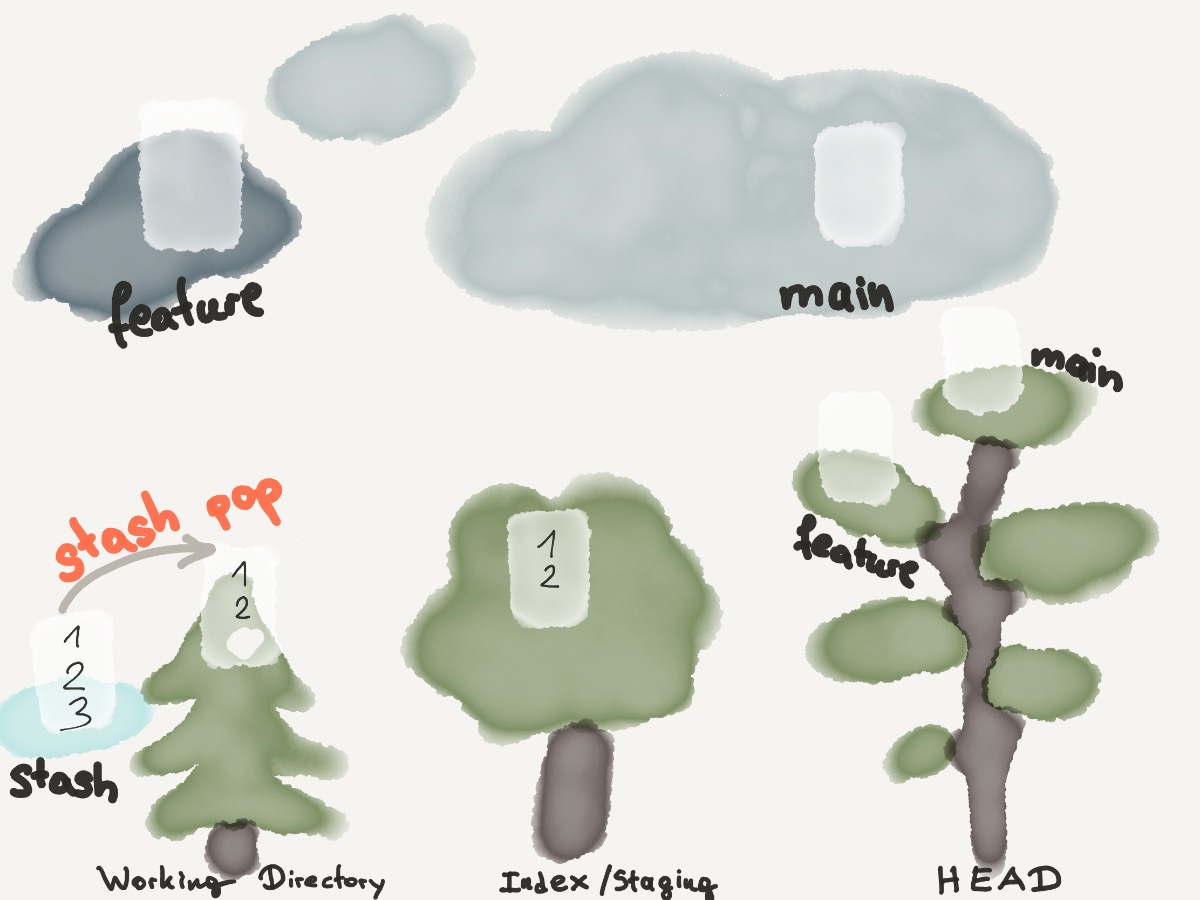
git stash
git stash push
git stash pop
Tagging
Create tags for software releases
git tag 1.0.0 1b2e1d63ff
the 1b2e1d63ff stands for the first 10 characters of the commit id you want to reference with your tag. You can get the commit id by looking at the log.
Blame
git log -L48,+1:index.html
git blame -L 48,+1 index.html
Add a local repository to Github
git init

git remote add origin https://github.com/user/repo.git
git remote -v
Git Hooks
.git/hooks/pre-commit
#!/bin/sh
#
# An example hook script to verify what is about to be committed.
# Called by "git commit" with no arguments.  The hook should
# exit with non-zero status after issuing an appropriate message if
# it wants to stop the commit.
#
# To enable this hook, rename this file to "pre-commit".

if git rev-parse --verify HEAD >/dev/null 2>&1
then
        against=HEAD
else
        # Initial commit: diff against an empty tree object
        against=$(git hash-object -t tree /dev/null)
fi

# If you want to allow non-ASCII filenames set this variable to true.
allownonascii=$(git config --bool hooks.allownonascii)

# Redirect output to stderr.
exec 1>&2

# Cross platform projects tend to avoid non-ASCII filenames; prevent
# them from being added to the repository. We exploit the fact that the
# printable range starts at the space character and ends with tilde.
if [ "$allownonascii" != "true" ] &&
        # Note that the use of brackets around a tr range is ok here, (it's
        # even required, for portability to Solaris 10's /usr/bin/tr), since
        # the square bracket bytes happen to fall in the designated range.
        test $(git diff --cached --name-only --diff-filter=A -z $against |
          LC_ALL=C tr -d '[ -~]\0' | wc -c) != 0
then
        cat <<\EOF
Error: Attempt to add a non-ASCII file name.

This can cause problems if you want to work with people on other platforms.

To be portable it is advisable to rename the file.

If you know what you are doing you can disable this check using:

  git config hooks.allownonascii true
EOF
        exit 1
fi

# If there are whitespace errors, print the offending file names and fail.
Can use any other scripting language
#!/bin/bash

# exit with 0 or 1
#!/bin/python

# exit with 0 or 1
Configure the path to the hooks
git config core.hookspath /my/hook/path